Managing loans can feel like juggling too many balls at once. A loan amortization schedule with balloon payment can simplify this process by breaking it all down step by step. Our Excel template offers a free download, making these calculations easy and clear.
Ready to take control of your payments? Keep reading!
Key Takeaways
- A loan amortization schedule with a balloon payment shows monthly payments and ends with a large final lump sum.
- The free Excel template calculates totals for principal, interest, and balloon amounts automatically.
- It supports flexible features like extra payments, various payment frequencies, and interest-only options.
- Users can edit details like loan amount, term, or rate to see instant updates without manual effort.
- Download the template easily from the website to simplify managing loans in Excel or Google Sheets.
What is a Loan Amortization Schedule with a Balloon Payment?
A loan amortization schedule with a balloon payment shows how much you pay each month toward the principal and interest. Unlike regular loans, it ends with one large final payment called a balloon payment.
This lump sum is due after smaller monthly payments over a set timeframe, like 5 or 7 years.
For instance, say you borrow $100,000 at an annual interest rate of 6% for five years. You may have low regular payments during those years but must pay off the remaining balance in full at the end.
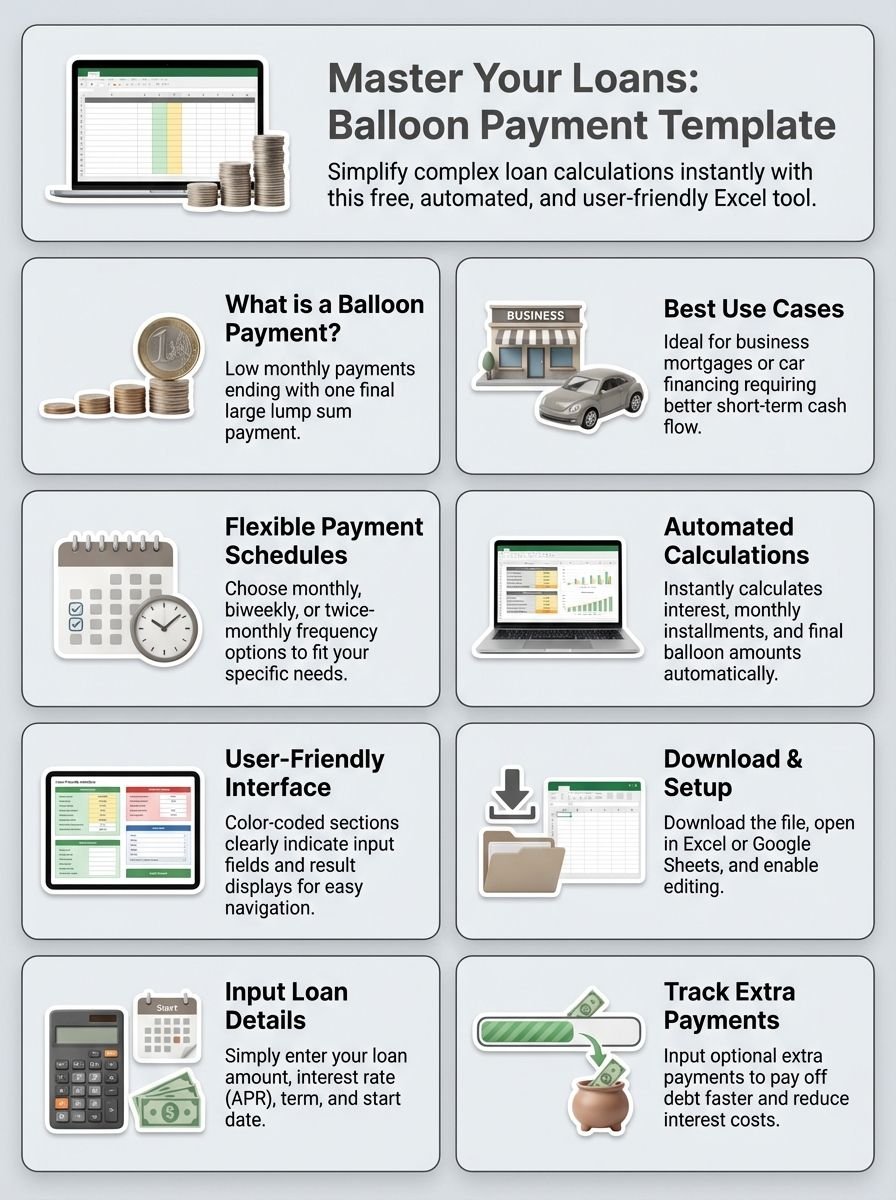
Balloon loans often suit car financing or business mortgages where selling an asset or refinancing can clear that big final debt easily.
Features of the Excel Template for Balloon Payment Amortization
This Excel template is simple and helpful for managing loans. It works for various loan types, including balloon payments.
- Users can input the total number of payments instead of just regular ones. This feature makes planning easier and more flexible.
- The spreadsheet calculates monthly payments, total interest, and balloon payment amounts automatically, based on user inputs.
- Amortized monthly payments and interest-only options are both supported in this tool. It adjusts to different payment styles.
- Payment frequency options include monthly (12), biweekly (26), or twice-monthly (24) schedules, accommodating user needs.
- Adjustments made after version 1.3 ensure the loan balance reaches zero by the final payment, avoiding errors in calculations.
- Color-coded sections make it easy to identify where you need to enter data and where results will display instantly.
- Automatic updates happen whenever users change details like interest rate, loan term, or amount borrowed. No manual refresh needed!
- Warnings about risks with interest-only loans are included to promote informed financial decisions and reduce debt risks over time.
How to Download and Use the Free Template
You can easily download and use the free loan amortization schedule with a balloon payment template. It’s quick, simple, and works with Microsoft Excel or Google Sheets.
- Visit the website offering the free download. Look for the “Download Now” button. Click it, and the file will save to your computer.
- Open the file in Microsoft Excel or Google Sheets. The template might open in Protected View at first.
- Enable editing to start using it. This option usually appears at the top of your screen.
- Enter your loan details. Add numbers for the loan amount, interest rate (APR), and term (in years).
- Set the loan start date to one month after origination. This ensures accurate monthly payments.
- Input optional extra payments if you want to reduce your repayment period faster.
- Adjust payment frequency if needed. Pick monthly, quarterly, or any other time frame that matches your loan terms.
- Review results instantly. The table will calculate totals for principal, interest, and remaining balances.
- Save a copy once you’re done entering details. Keep it handy for future updates or changes in payment plans.
Conclusion
Grab this free Excel template today. It simplifies loan calculations and saves time. Calculate monthly payments, interest, and balloon amounts with ease. Download it now to plan smarter and pay off your loan effectively!
FAQs
1. What is a loan amortization schedule with a balloon payment?
A loan amortization schedule with a balloon payment shows how your monthly payments cover the principal and interest over time, ending with one large final payment called the balloon payment.
2. How can I use this free Excel template for my loans?
You can download the free Excel spreadsheet to calculate regular monthly payments, track interest costs, and plan for your balloon mortgage or other loan repayments.
3. Can this template help with car loans or home mortgages?
Yes, it works for car finance, home equity loans, adjustable-rate mortgages, and even simple interest loans by providing an accurate breakdown of periodic payments.
4. Does this calculator show how much of my payment goes toward principal versus interest?
Absolutely! The amortization table in the template breaks down each monthly loan payment into amounts paid toward the principal amount and interest due.
5. Is this tool useful for budgeting or planning payoff strategies?
Yes! It helps you budget effectively by showing total amounts paid over the loan term and lets you explore ways to pay off the loan faster while reducing overall interest costs.
6. Who should use this Excel loan amortization schedule template?
Borrowers managing mortgage loans, auto loans, credit card debt, or any type of financing will find it helpful when analyzing their lender’s terms and tracking progress on paying off debts.
