
Struggling to figure out your loan payments and that big end-of-loan balloon payment? An equipment finance calculator with balloon Excel can help you simplify the math. This tool breaks down monthly payments, shows interest costs, and calculates the final lump sum with ease.
Keep reading to learn how it works!
Key Takeaways
- The Excel Equipment Finance Calculator helps calculate loan payments, interest costs, and balloon payment amounts for terms from 1 to 360 months.
- It works on Excel 2007+, Google Sheets, iPads, and iPhones and is free to download.
- Users can input details like loan amount, term length, interest rate, down payment, and balloon payments to get accurate results.
- Detailed amortization schedules track repayments over time and show total interest paid.
- The tool is easy-to-use for business loans or personal financing needs like car purchases.
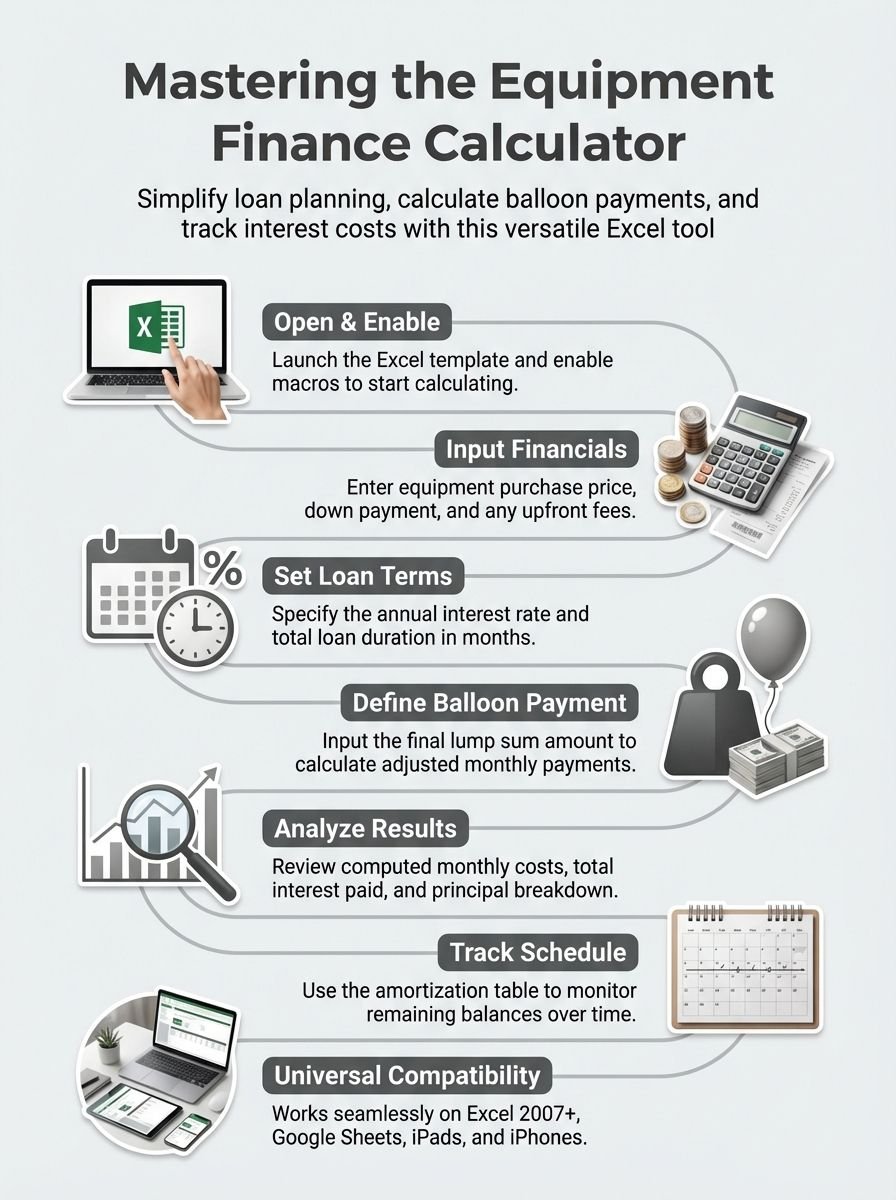
Overview of the Excel Equipment Finance Calculator with Balloon Payment Option
The Excel Equipment Finance Calculator with Balloon Payment Option gives users an easy way to plan loans. It helps calculate costs, payments, and final amounts for equipment financing.
The tool is free to download and works on Excel 2007+, Google Sheets, and even iPads or iPhones. Whether it’s a car loan or a business mortgage, this calculator simplifies complex financial decisions.
…
This calculator lets you handle loans from 1 to 360 months long. You can enter the details of your loan term, interest rate, and balloon payment options. For example, it calculates monthly payments based on a typical 30-year amortization schedule for mortgages but adjusts for other shorter terms too.
With features like tracking total interest paid and generating full repayment schedules down to the cent (Version 1.3+), it offers great accuracy for planning different scenarios in equipment financing!
How to Use the Excel Calculator for Equipment Financing and Balloon Payments
The Excel equipment finance calculator with a balloon payment option is simple to use. Follow these steps to calculate payments and manage financing effectively.
- Open the Excel template for the loan calculator. Ensure macros are enabled if prompted.
- Input the purchase price of the equipment in the designated cell. This is the total cost you plan to finance.
- Enter your planned down payment amount. This reduces your borrowed loan balance.
- Add other upfront fees, such as origination charges or processing costs, if applicable.
- Type in the loan amount you wish to borrow after subtracting your down payment and fees.
- Set the desired annual interest rate in percentage form based on your lender’s terms.
- Specify the total loan term in months or years, depending on the agreement details.
- Choose between an amortized structure or interest-only payments for monthly calculations.
- If using a balloon loan payment calculator, input or calculate your ending balloon payment amount.
- Let Excel compute monthly payments, including principal and interest amounts separately, based on entries.
- Review calculated outputs like total interest paid throughout the term and final balloon balance due at maturity.
- Use the amortization schedule to track remaining balances and regular payments over time.
- Save a copy of this spreadsheet for easy updates or reference later during repayment tracking tasks!
Benefits of Using an Excel-Based Equipment Finance Calculator
Excel-based calculators, like the Vertex42 Balloon Loan Calculator, simplify equipment financing. They handle long-term periods ranging from 1 to 360 months with ease. Users can adjust loan variables quickly and get a clear breakdown of payments.
This tool helps calculate balloon payment amounts accurately.
Detailed amortization schedules improve planning and budgeting efforts. With compatibility for Excel 2007 or newer, it works seamlessly on iPads, iPhones, and Google Sheets too. It’s free and perfect for estimating costs like final balances or accrued interest on commercial loans or personal car loans.
Conclusion
This calculator makes equipment financing clear and simple. It breaks down payments, interest, and the big balloon payment at the end. Whether for a business loan or car purchase, it offers easy-to-use tools for planning.
Download it today, save time, and manage your money wisely!
FAQs
1. What is an Excel equipment finance calculator with a balloon payment option?
It is a financial tool in Microsoft Excel that helps calculate loan payments, including regular monthly payments and a final balloon payment at the end of the term.
2. How does this calculator handle loan amortization?
The calculator uses formulas to break down your principal balance and interest into manageable amounts over the payment period while factoring in the balloon mortgage structure.
3. Can I use it for auto loans or commercial mortgages?
Yes, you can use it for various types of loans like auto loans, commercial mortgages, or even adjustable-rate loans with specific terms like balloon payments.
4. How do I calculate my final balloon payment amount?
The tool calculates your final payment based on factors such as the amount borrowed, interest rate, loan term, and any principal payments made during the loan period.
5. Is this free Excel calculator helpful for personal finance planning?
Absolutely! It simplifies budgeting by showing how much you’ll owe each month and what savings you might need to cover your full payment later on.
6. Does it work for fixed-rate and adjustable-rate mortgages?
Yes! Whether it’s a fixed-rate mortgage or an adjustable one, this calculator adapts to show accurate figures based on your input variables like annual percentage rate or present value of debt.
